SolarAid Agent

SolarAid EAAS Agent

Field app for customer registration & energy payments.
Works offline. Pinned with GPS. Built for Zambia.

v1.0.4 (build 2005) Built 2026-05-15 17:05 SAST Android 6+ (API 23) Signed release

This page is the single source of truth for the latest build — always download from here rather than re-using an older file.
QR — download APK
Scan to download APK
v1.0.4 · 20 MB
QR — open quick guide PDF
Scan for the Quick Guide
PDF · 4 pages
QR — open full user guide PDF
Scan for the Full Guide
PDF · 20 pages
QR — open this page on your phone
Scan for this page
Open on your phone

What's new in v1.0.4

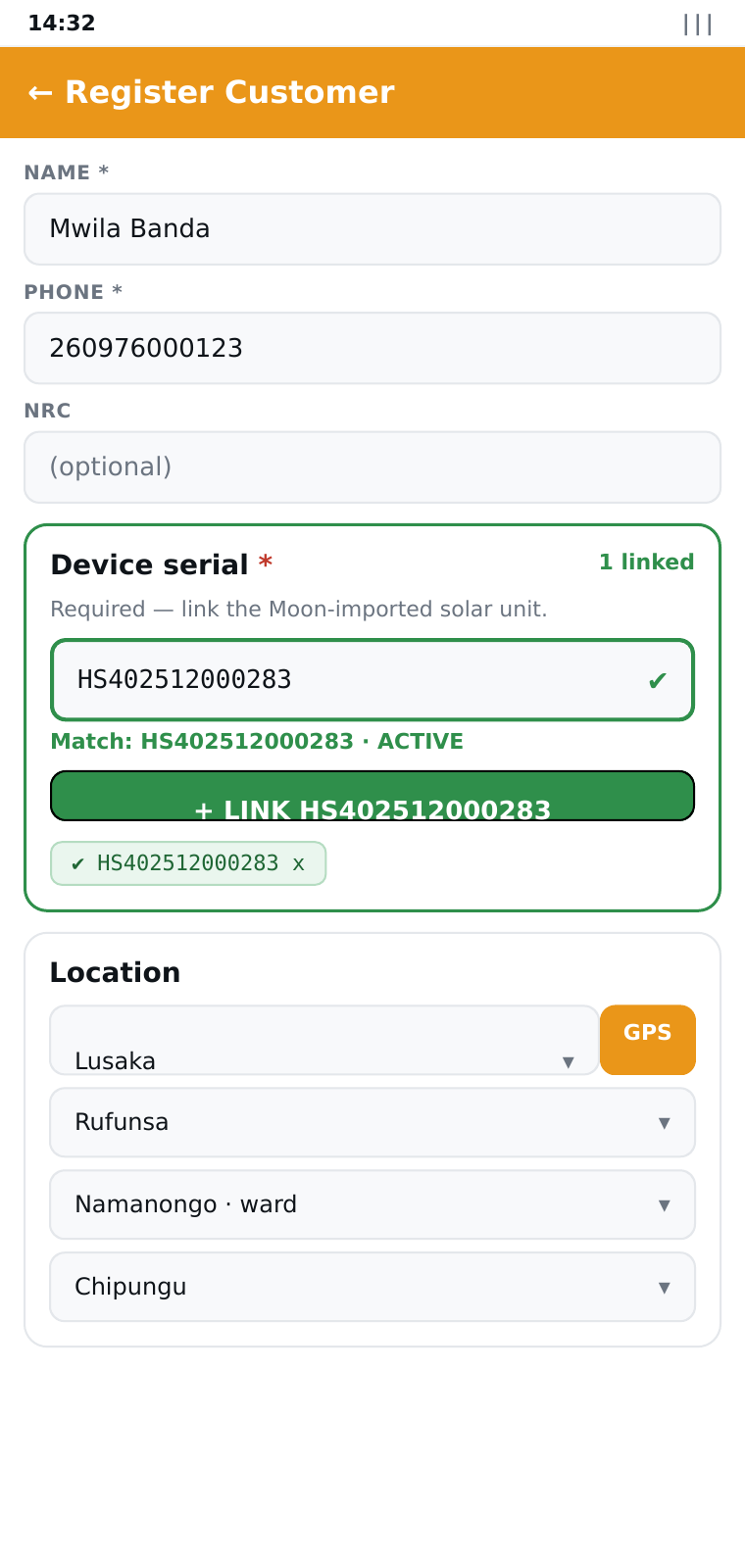
  • Device serial moved to the main section — sits right after the NRC field, above the optional KYC sections, so the agent links the device before opening any of the collapsibles.
  • Device serial is now required on Register Customer — at least one Moon device must be linked before the form can be saved.
  • Live-validated serial input — as the agent types, an animated status icon transitions between busy / ok / ambiguous / taken / missing. The action button activates the moment a unique match is found and shows "Link HS40251200XXXX".
  • Device serial replaces meter / account number — registration no longer asks for a meter number; agents link the customer's Moon device instead.
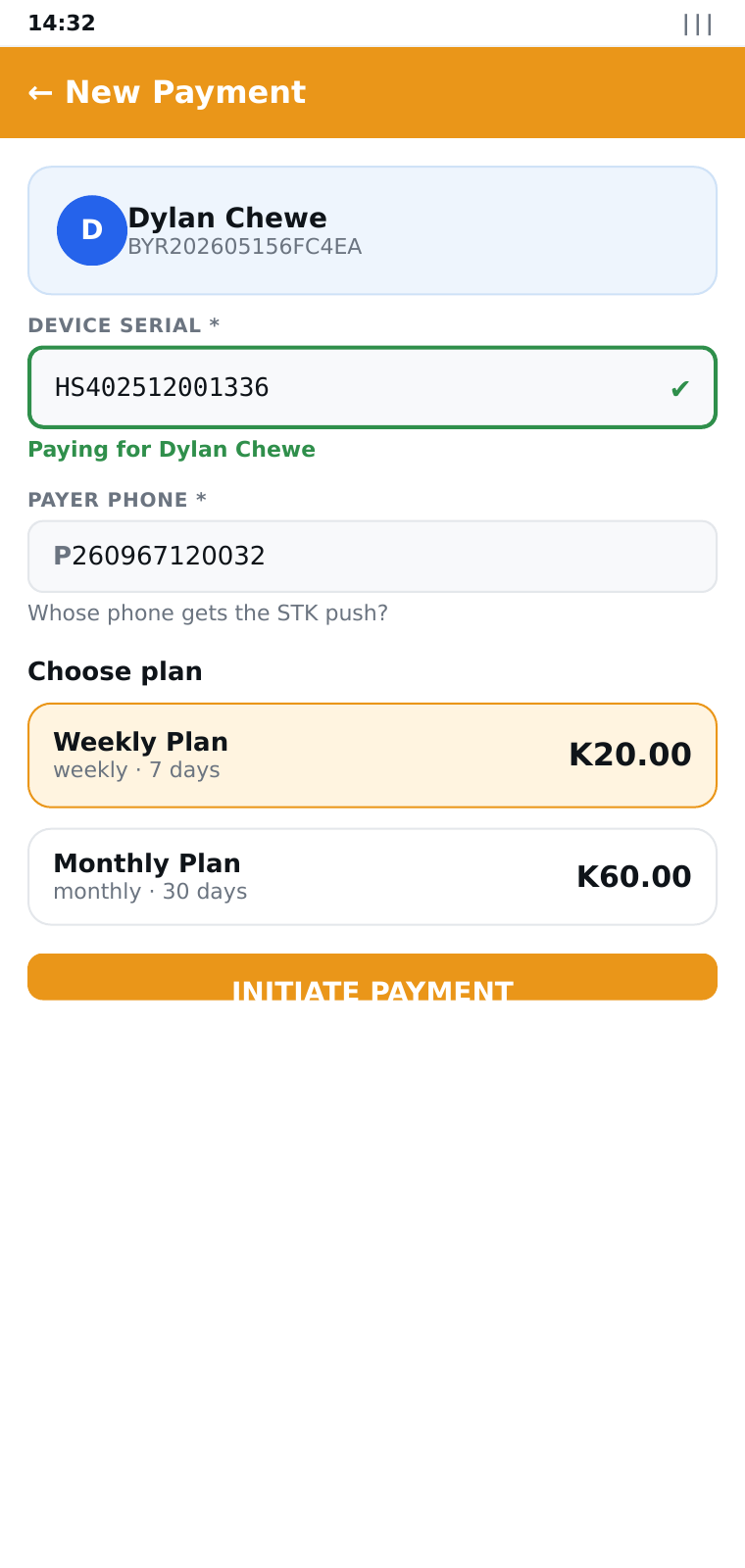
  • Multi-device picker on payment — when a customer has more than one linked device, choose which one to pay against via chip buttons.
  • Last-4-digit serial shortcut — type just 0283 to find HS402512000283.
  • Ward dropdown between District and Village for Rufunsa Namanongo.
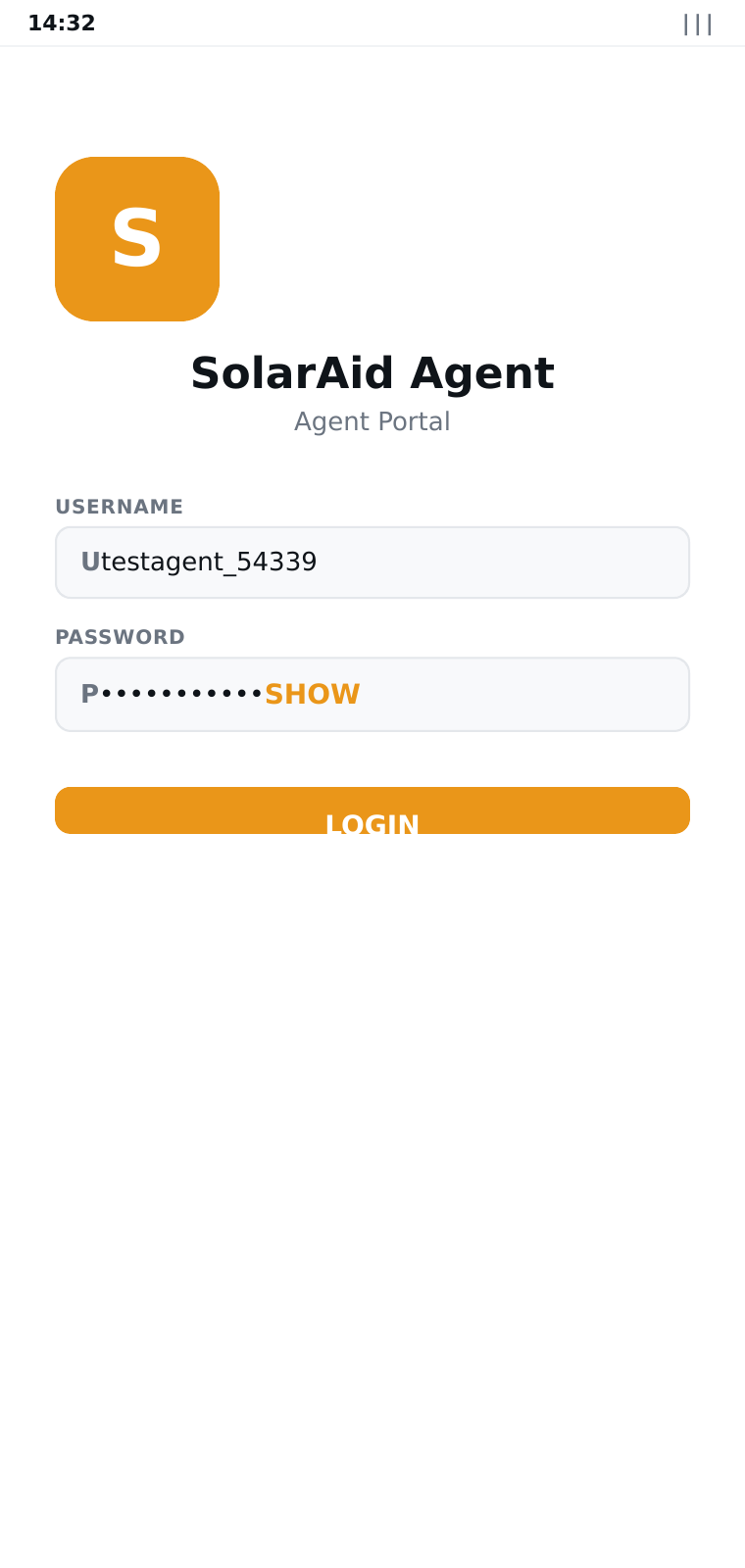
  • Show / hide password on the login screen.
  • Smaller APK — per-ABI split (arm64-v8a) brings the download from 53 MB → 20 MB.

Currently installed older version? Uninstall first, then re-download — Android sometimes silently skips an upgrade when the previous build has the same package name.

Built for the field

Every feature is designed for agents working far from a stable connection.

Offline-first

Register customers and take payments without a signal — the app caches plans, customers and history, and queues writes locally until you’re back online.

GPS pinned

Every registration and transaction captures the agent’s coordinates, accuracy and time. The list and admin web show a one-tap Google Maps link.

Zambia admin areas

All 10 provinces and 117 districts bundled offline. Tap “auto-detect from GPS” to snap to the nearest district centroid.

Pay on behalf

Same payment flow as USSD *388*20#: enter an account number, choose a plan, push to the customer’s phone. Moon validates the account before Ontech collects.

Secure JWT

Tokens stored in Android’s encrypted shared preferences. Automatic refresh on 401. Server-side session revocation if needed.

Sync inspector

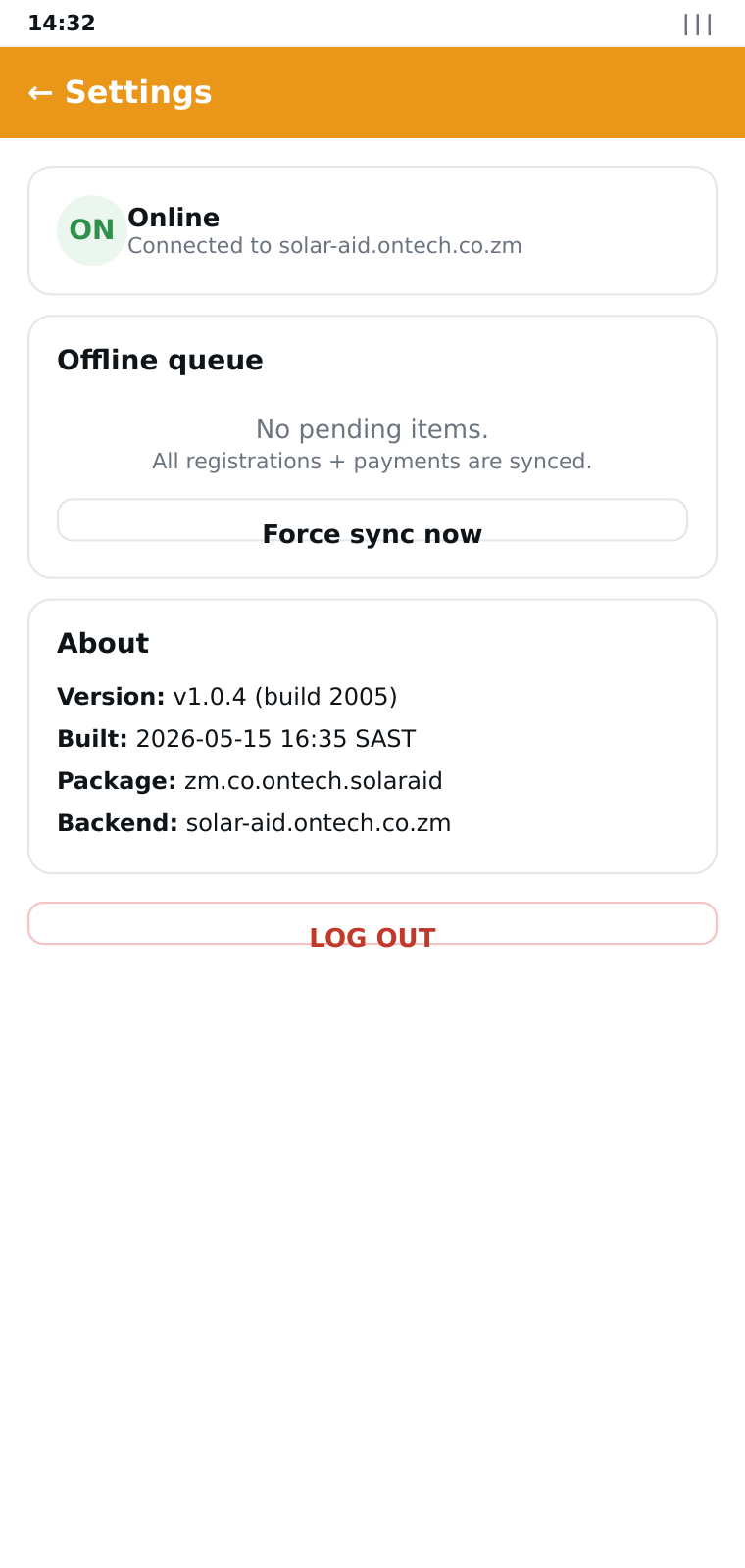
Settings → Offline Queue shows every queued action, attempt count and last error. Tap Force sync now when ready.

What it looks like

Real screens from the v1.0.1 build.

Login
Login
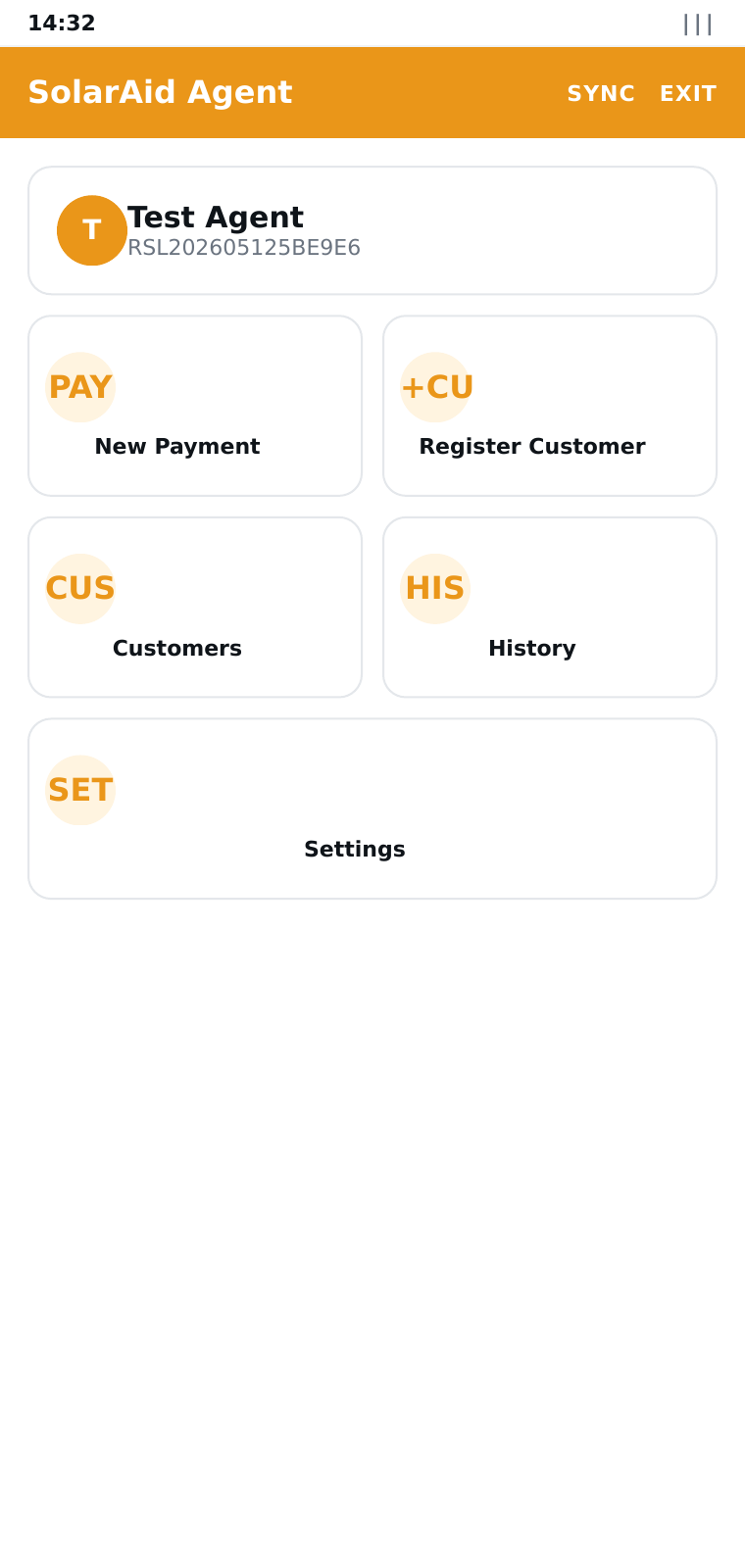
Home dashboard — agent profile + quick actions
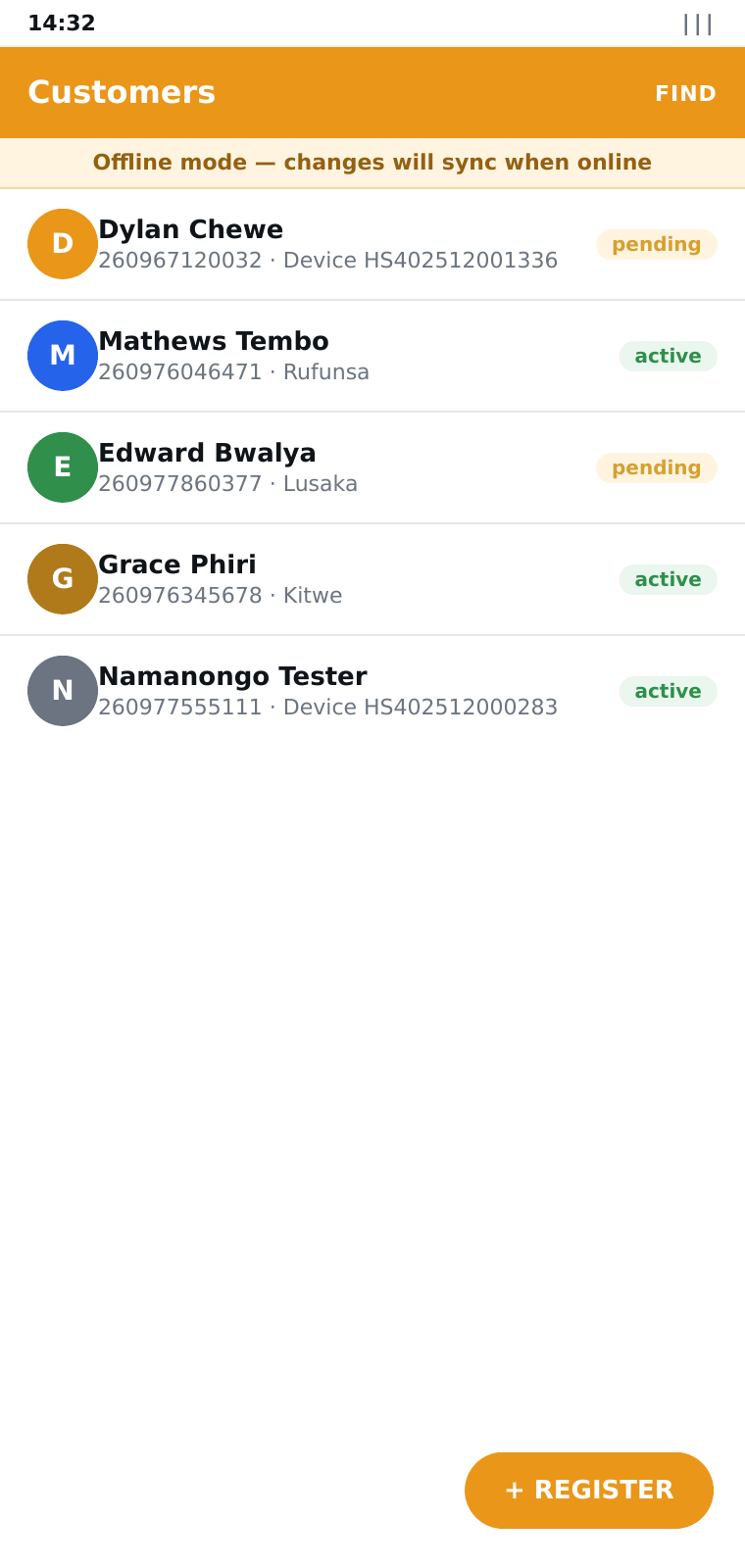
Customer list with offline banner + GPS pin
Register customer — full KYC, GPS, province → district → ward → village
Payment — account, plan, STK push
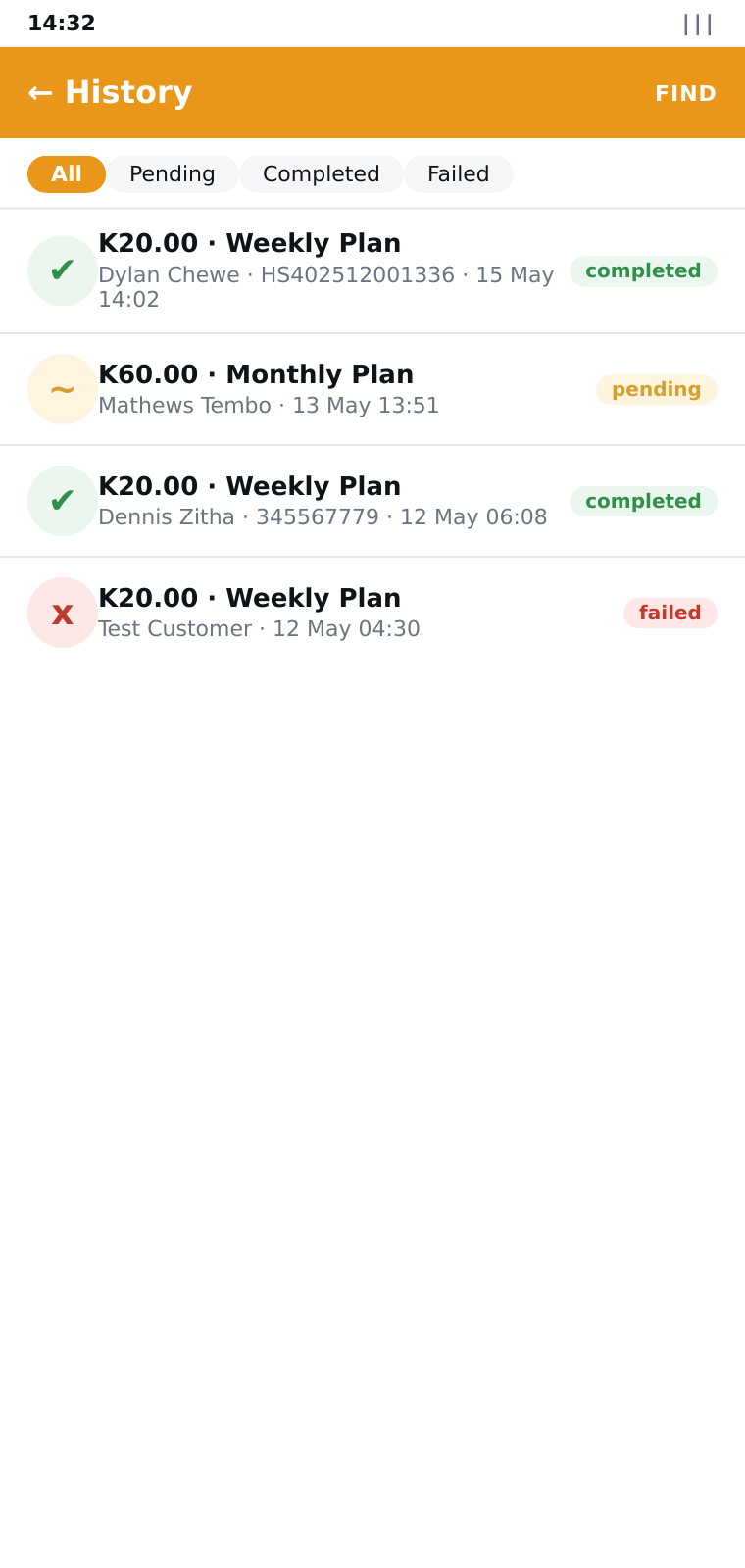
History — completed, pending, failed
Settings + offline sync queue

Install on Android

Sideload the signed APK — no Play Store account needed.

1
Download the APK

Open this page in Chrome on your Android phone and tap Download APK above. The default build (~20 MB) is for modern arm64 phones. For older 32-bit phones, use solaraid-agent-armv7.apk (~18 MB).

2
Allow installs from this browser

The first time, Android asks to allow Install unknown apps for Chrome. Toggle it on, then tap the downloaded file.

3
Install & grant permissions

Tap Install. When the app first opens, allow Location permission — it’s needed to pin customer registrations and transactions to a place.

4
Login

Use the agent credentials issued by the admin. The app pre-loads plans, customers and recent transactions so the next session works offline.

Heads-up: the build is signed with a self-issued release key, so Android may show a one-time “unknown developer” warning. That’s expected for sideloaded apps — accept to proceed.

How to use it

Three jobs the app is designed to make fast in the field.

Register a new customer
1

From Home, tap Register Customer.

2

Fill Name, Phone (with country code 260…), optional NRC and Meter / Account number.

3

Tap Capture on the GPS card. The app gets a fix in <3s using the last-known position as a fallback. Tap the button next to Province to auto-detect the closest district.

4

Optionally tick Add bio / additional information and add any context the office should know (household size, occupation, anything useful).

5

Tap Register. Online: the customer appears in the list immediately. Offline: the action queues and syncs as soon as connectivity returns.

Take a payment
1

Tap New Payment from Home.

2

Enter the customer’s Account number. If they’re in your local cache, the owner’s name is shown immediately for confirmation.

3

Enter the Payer phone (whoever is going to authorise the STK prompt), choose a plan, then tap Initiate Payment.

4

An SMS lands on the payer’s phone telling them the payment was initiated. They approve the STK push on their phone. Once Ontech confirms, an activation-code SMS is sent.

Working offline
1

When offline, the app shows an amber banner — every cached customer, plan and recent transaction is still available.

2

Register customers and initiate payments as normal — they're written to a local outbox.

3

When the device reconnects, the queue drains automatically. Open Settings → Offline Queue to see each pending action, attempt count and any error, or tap Force sync now.

Ready to ship?

Hand the APK to your field team and start registering customers today.

Download SolarAid Agent v1.0.4